
Photo Enhancer
Crop and straighten a crooked scan, using Auto-straighten to find the angle for you. Freshen a faded old photo by reducing grain, balancing the light, enlarging and sharpening. Your original is always kept.
Deluxe includes everything in Core, plus dozens of tools for filling your book with the photos, voices, documents and discoveries that make a family history your own.

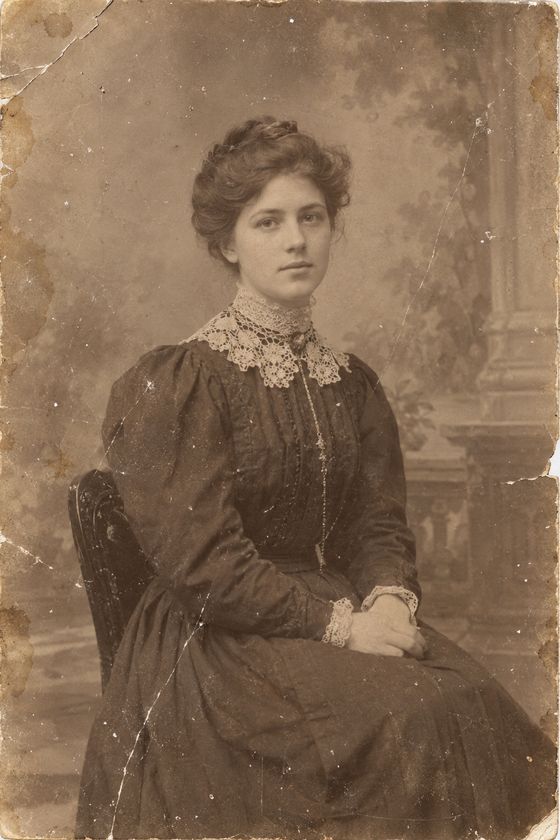 Original (AI-generated sample)
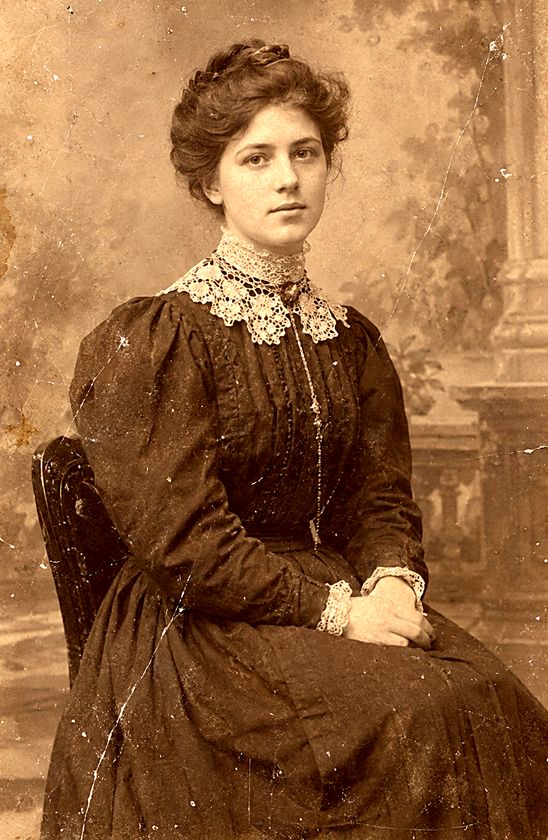 Photo Enhancer
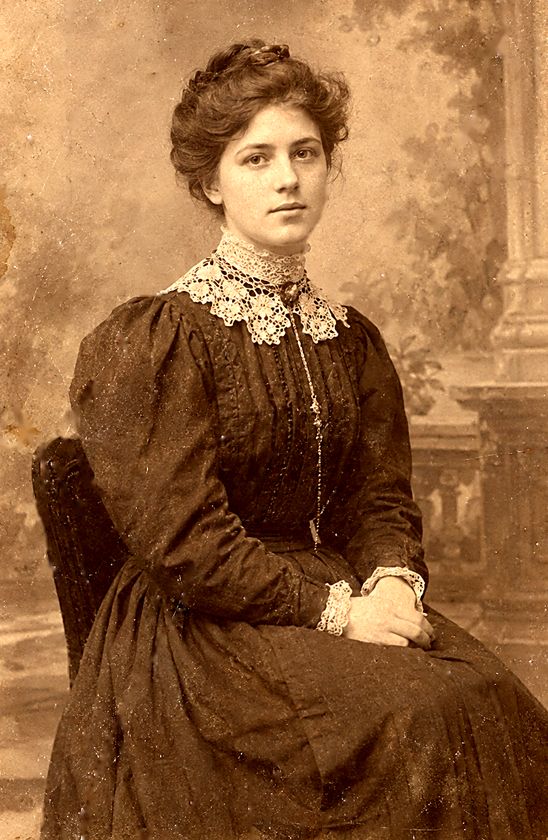 Photo Repair
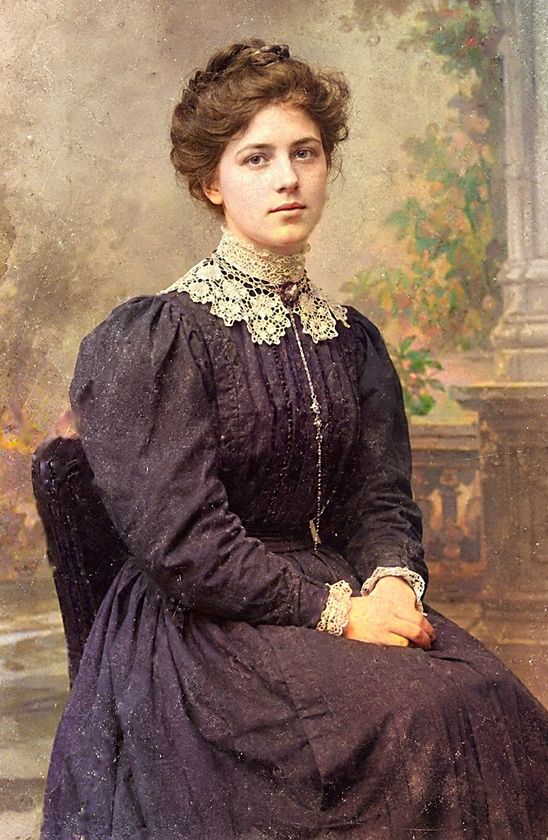 Photo Colorizer
Crop and straighten a crooked scan, using Auto-straighten to find the angle for you. Freshen a faded old photo by reducing grain, balancing the light, enlarging and sharpening. Your original is always kept.
Draw a loop around a scratch, spot or stain, then apply the repair tool to blend it into the surrounding photo. A damage finder can mark scratches and tears for you, and a restore brush lets you undo edits in selected areas.
Bring black-and-white photos to life with natural-looking color. It runs on your computer, so your pictures stay with you.
Give each ancestor a portrait that prints beside their life sketch in the book.
The quilt, the Bible, the watch, the trunk. Record each heirloom with photos, who owned it and its story, and it gets its own page in the book's Keepsakes appendix.
Photo Enhancer (including cropping and straightening) and Photo Repair's brushes work right away. The damage finder and the Colorizer use a free 618 MB add-on, downloaded the first time you use them.
Tags in the filename, such as (cropped) or (colorized), tell anyone who finds the modified photo later what was done to the original. Added color is an estimate.
Clean up a memoir tape, an interview or a home movie. Choose Music-safe (removes hum and hiss, keeps the music) or Voice (keeps the speech, removes the rest). A clip trimmer lets you keep the best parts. Works on audio files and the sound in video files. The picture is not edited and keeps its size and frame rate, and your original is always kept.
Turn a recording into a written transcript, saved as a Word file with optional timestamps. Choose Fast (a quick rough draft), Balanced (recommended) or Best (most careful). It can also write an English transcript from other spoken languages. Every transcript is a draft. Check names and places.
Reads MP3, M4A (including iPhone recordings), WAV, FLAC, AAC, WMA, AMR and AC3 audio, and the sound in MP4, MOV, MKV, AVI, WebM and M4V video. Have an OGG, Opus or AIFF recording? Save it as MP3 or M4A first. Cleaned video is saved as a new MP4 at the same size and frame rate.
Record a relative telling their story, or bring in a recording you already have. Mark the best passages, put them in the order that tells the story, and FanChartBook joins them into one finished recording.
Guided interviews with suggested questions by topic, room for follow-ups, and everything kept with your project.
Turn a transcribed interview into pages of your book, with the relative's own words merged into their life sketch and photos placed throughout. You choose the passages. It adds no wording of its own.
Turn a scan, photo or PDF of a document into text you can search and correct. It reads printed pages, attempts English handwriting, translates fifteen languages into English, and can shorten a long document into a summary. All of it runs on your computer.
Read census sheets, certificates and passenger lists into a table you can open in a spreadsheet. Works with printed and typed records.
Narrows a page down to the few words worth a second look, and suggests fixes using the names and places in your own tree. You accept each change. It never rewrites on its own.
Translation languages: German, French, Spanish, Italian, Portuguese, Dutch, Danish, Swedish, Norwegian, Finnish, Polish, Czech, Hungarian, Russian and Ukrainian. These are languages the tool translates into English from printed text. Handwriting reading works for English only. Handwriting reading, summarizing and each translation language are free downloads, fetched the first time you use them.
Every FanChartBook book already includes birthplace tables, maps and distances for each section. Deluxe adds:
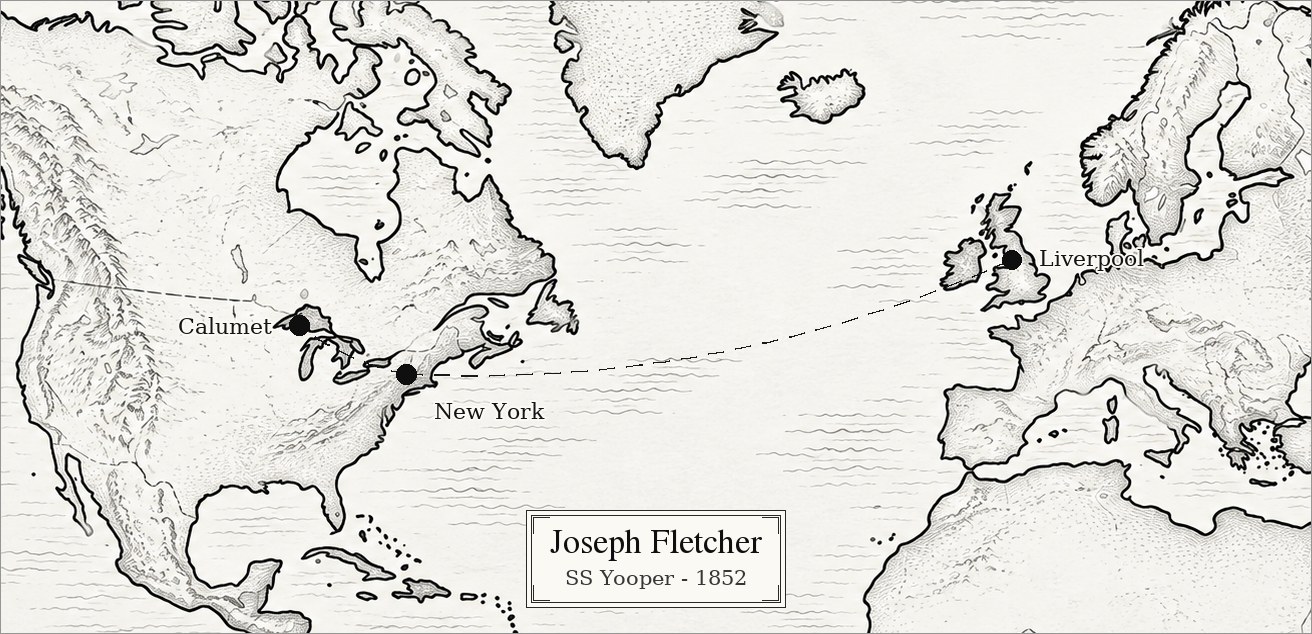
Draw an ancestor's journey from where they left to where they arrived, with a dotted route and a voyage caption for ocean crossings.
Review each section's maps, birthplace table and distances on screen, one section at a time. Correct a birthplace directly in the table, and the tool looks up the new location and updates the map and distances.
Make a separate fan chart centered on any ancestor, with your own line on any wedge, such as "Immigrated 1885." Export it and print it without changing your book.
A fan chart centered on any ancestor, as deep as their line goes.
A fan chart with each ancestor's photo in their wedge.
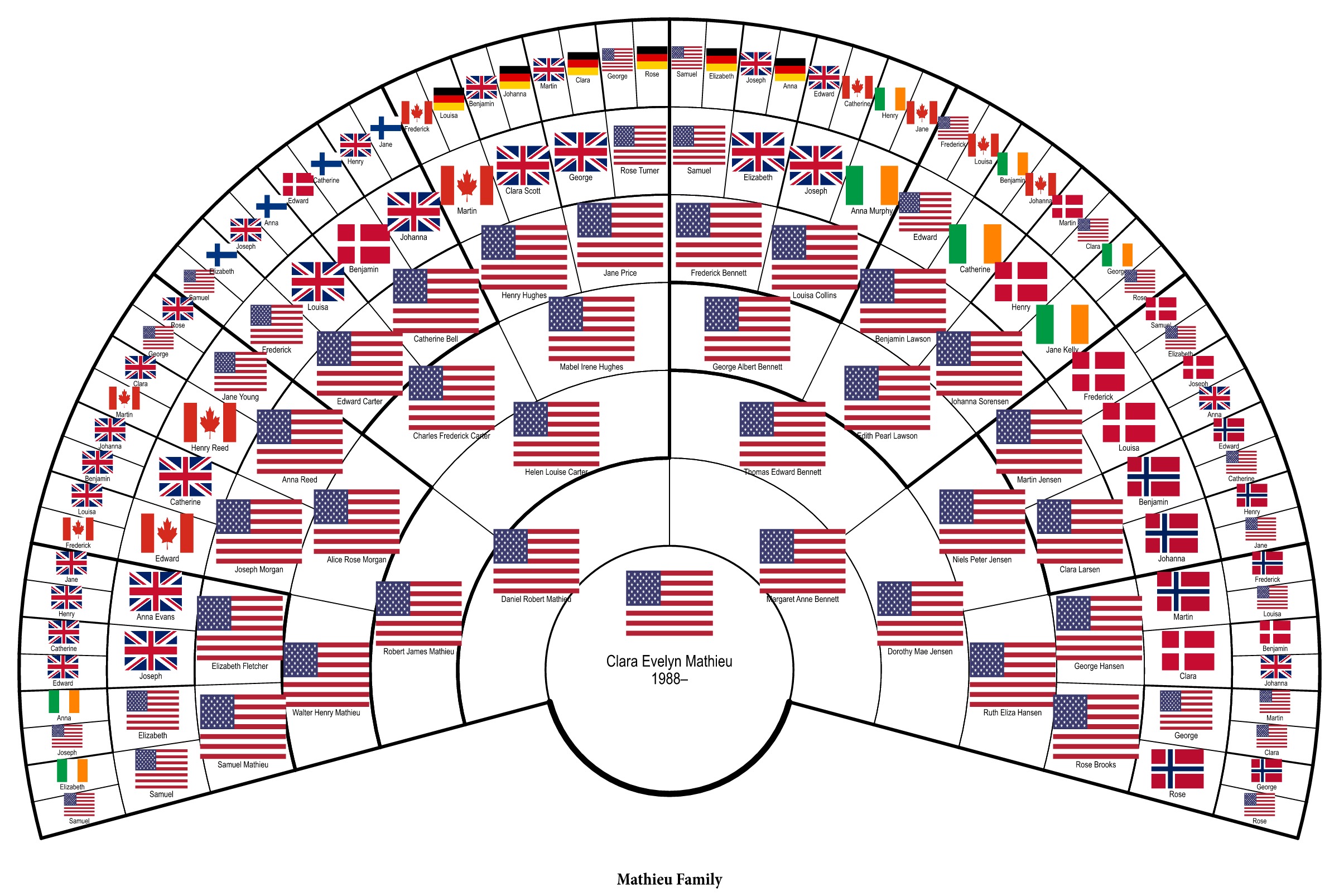
Each ancestor's birth-country flag in place of their name, so you can see where your family came from at a glance.
Everyone who came after a chosen ancestor, in a tidy tree.
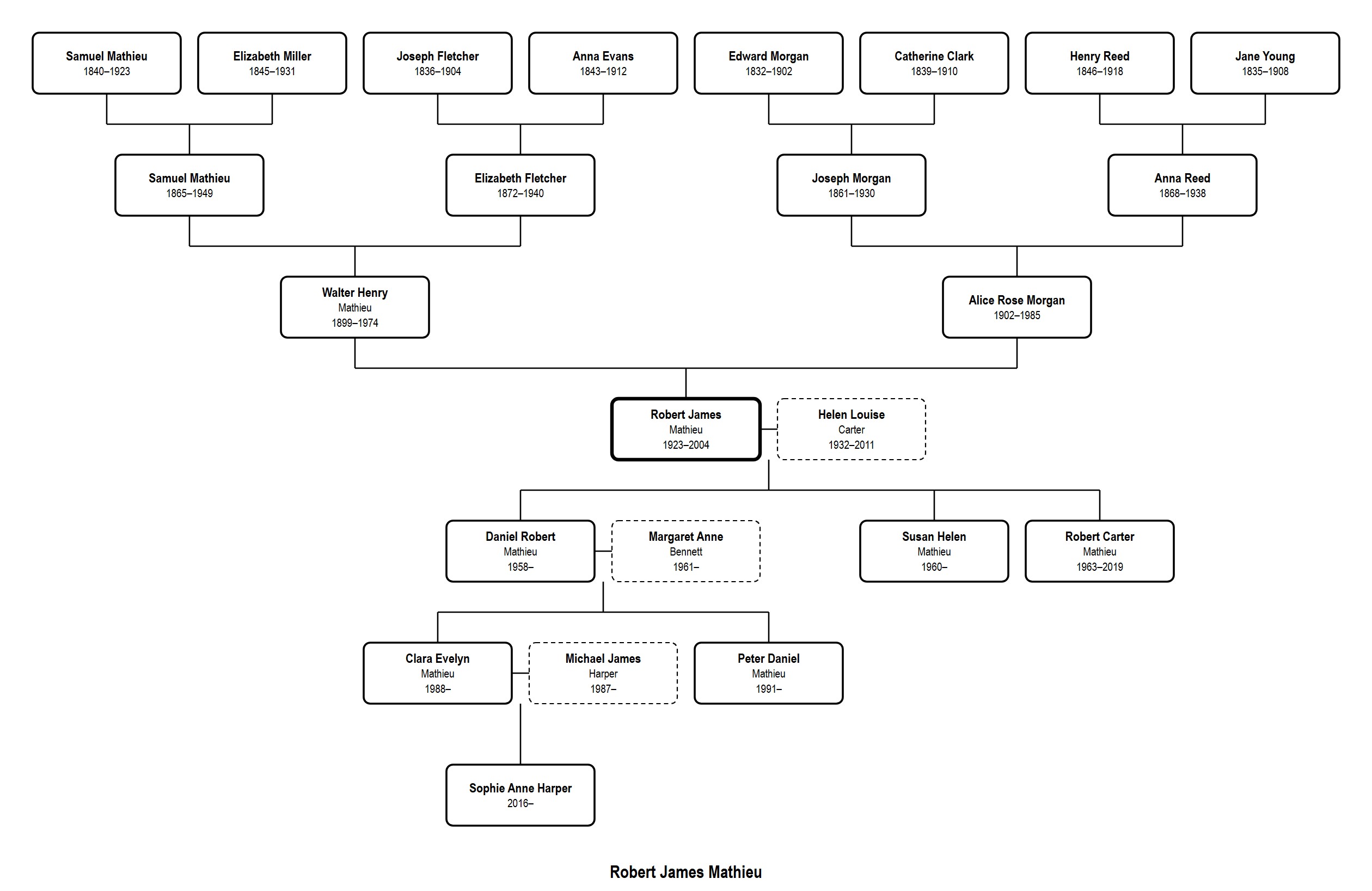
Ancestors above, descendants below, spouses beside them.
A compact table of someone and their parents, grandparents and great-grandparents, saved as Excel or Word.
The classic genealogy sheet for a couple and their children.
The traditional numbered ancestor list.
A line of births, marriages, deaths and moves, as a graphic or a dated list.
Create printable files for a monthly calendar of family birthdays and holidays, or a daily tear-off calendar with photos and short life sketches.
These guides show what your tree already says and point you to where to look next. They never invent answers.
A to-do list of what's missing or doesn't add up in your tree.
How common each family name is, where it spread, and spelling variations you can group.
Clues about a family name from the places and dates in your own tree.
Questions worth asking about the world around an ancestor.
Explore guides and suggested sources to research your ancestors' voyages, pioneer journeys, military service and humanitarian work. Record what you discover and choose what to include in your book.
Create a list of cemeteries and the family members buried in each, organized by country, state and cemetery. Print it to take along on cemetery visits.
Find the earliest known ancestor in each family line, along with their online tree ID when your tree includes one. Record your discoveries and choose what to include in your book.
Find a person, place, event or phrase anywhere in your project, even with misspellings.
Attach a photo, document or recording with its source. What you use is credited in the book's bibliography.
Find everything your tools have saved in one place. Select "Add to book" to include an item in your book. Choose whether it belongs with a person, in a family line section or with your project materials.
Every object in the Mathieu family's study is tied to one of these tools, with the page in the sample book where its work appears.